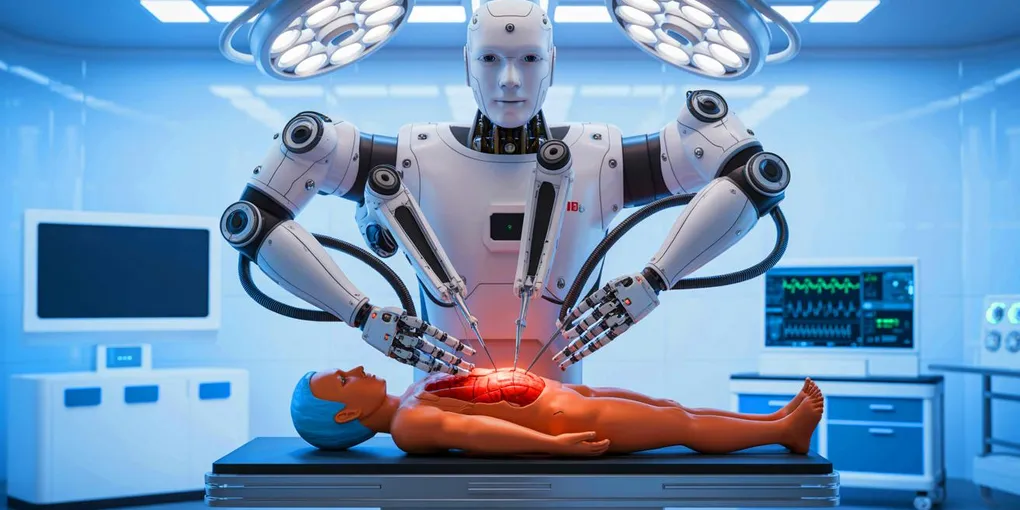
Why Simulation Is Essential in Robotics
Discover how robotics simulation supports safer testing, repeatable experiments and better engineering decisions, with an autonomous surgical suction system as a case study.
A robot can behave exactly as its software instructs it to and still fail at the task it’s meant to perform. A mobile robot might lose traction on a slope, a robotic arm might collide with an obstacle, or a camera system might fail to recognise an object in unfamiliar lighting. Finding these problems on physical hardware can take time, money and repeated testing.
Simulation gives engineers a way to explore how a robot and its software might behave before relying on the real system. By creating a virtual robot or environment, they can test algorithms, compare design choices and repeat experiments under controlled conditions. The level of detail varies: some simulations focus on physics and contact, while others concentrate on sensor data, software behaviour or a particular task.
This guide explores why simulation is useful in robotics, the main approaches engineers use and how it can support the development of an autonomous system. I’ll use my past project using simulation for surgical robotics as a case study to show how simulation can be used to develop and evaluate a real engineering idea.
The thumbnail for this guide is an AI-generated image of a surgical robot that I was shown during a Biomechatronics lecture. I thought this was worth sharing with more people because of how ludicrous (and somewhat scary) the robot actually looks if you zoom in and pay attention to it.
What is robotics simulation?
Robotics simulation is the use of a computer model to represent some part of a robot, its environment or its behaviour. Depending on the problem, a simulator might model a robot’s dimensions and movement, calculate collisions and forces, generate camera or sensor data, or provide an environment in which control software can run.
A simulation doesn’t need to recreate every detail of the real world. It needs to represent the parts that matter to the question being tested. If the goal is to check whether a robot arm can reach a position without hitting an obstacle, accurate geometry and collision detection may be more important than realistic textures. If the goal is to develop computer vision, the appearance of the scene and the images produced by a simulated camera may matter much more.
The useful question isn’t whether a simulation looks realistic. It’s whether its model is accurate enough to help answer a specific engineering question.
Why simulate a robot?
Test safely before using real hardware
Robots move through the physical world, where mistakes can damage equipment, harm people or put a system in an unsafe state. Simulation allows engineers to experiment with a behaviour or failure scenario without putting a physical robot at risk.
This is particularly useful when a task is expensive, difficult or dangerous to repeat. A robot can be tested near virtual obstacles, unusual sensor readings or unexpected changes in its environment before similar scenarios are attempted on hardware. In a medical or industrial application, simulation can support early development without implying that a simulated result is proof of real-world safety.
Compare approaches under the same conditions
A simulation can be reset to a known starting point. That makes it easier to compare two algorithms without changing the environment, initial position or task between tests.
For example, a mobile robot could use two different obstacle-avoidance algorithms. If both begin from the same position and encounter the same obstacle layout, their performance can be compared using measures such as completion time, path length and collisions. Repeating the test across different layouts can reveal whether an approach works consistently or only in one favourable scenario.
Iterate and debug more quickly
Changing a model, a controller parameter or a path-planning algorithm is often easier when the environment can be reset in software. Engineers can make one change at a time, rerun a scenario and inspect what happened. This can reduce the number of physical prototypes or test sessions needed during early development.
Simulation isn’t automatically faster or easier than testing on hardware. Detailed models can be complicated to build and tune, and some behaviours are difficult to reproduce accurately. The benefit comes from choosing the right level of detail for the problem rather than trying to simulate everything.
Test edge cases systematically
Real-world testing can leave gaps. It may be difficult to reproduce the exact moment a robot loses its target, encounters a rare obstacle arrangement or receives an unexpected sensor value. In simulation, an engineer can deliberately create these conditions and run the same test repeatedly.
It is also possible to vary conditions such as object position, lighting, friction, sensor noise or communication delay. These tests help show how sensitive a system is to changes and where it may fail. The results are only as useful as the scenarios and models being used, so tests should include realistic variation rather than relying on one ideal setup.
Evaluate the whole software pipeline
A robot’s performance depends on more than one algorithm. Sensors provide data, perception extracts useful information, planning chooses what to do, and control turns the plan into movement. Delays or errors in any part of that chain can affect the complete system.
A simulator that connects to the same software stack used by the robot can help engineers test these parts together. For example, ROS 2 nodes can process simulated sensor data and send commands back to a simulated robot. This makes it possible to examine communication, processing time and closed-loop behaviour as well as the final movement.
Different approaches to simulation
The word simulation covers several approaches. They can overlap, and a project may combine more than one.
| Approach | What it focuses on | Example use |
|---|---|---|
| Physics-based simulation | Movement, dynamics, contact, collisions and sensor models | Testing a robot arm’s movement or a mobile robot’s response to obstacles |
| Visual or task-specific simulation | A particular environment, task or sensor view needed for the experiment | Developing computer vision or evaluating a task-specific control strategy |
| Digital twin | A virtual representation of a real robot or system, often connected to real data | Monitoring or evaluating a robot cell using information from the physical system |
| Software- or hardware-in-the-loop | Connecting control software, or real control hardware, to a simulated system | Testing how a controller communicates with a simulated robot before full deployment |
Tools such as Gazebo provide physics, rendering and sensor models for robotics. NVIDIA Isaac Sim supports physically based virtual environments, sensor simulation and synthetic data generation. Other workflows use game engines or custom environments when the experiment depends on a specific scene or task rather than a complete general-purpose robot model.
A digital twin is related to simulation, but the terms are not interchangeable. A simulation can be entirely virtual and used during early design; a digital twin usually represents a particular real-world system and may be updated or informed by data from it. Software-in-the-loop testing runs software against a simulated system, while hardware-in-the-loop testing introduces physical control hardware into the loop.
From simulation to useful results
A simulation becomes valuable when it is designed around a clear question and evaluated with suitable measures. A useful workflow is:
- Define the question. Decide what you want to find out, such as whether a path planner avoids collisions or which control strategy completes a task most efficiently.
- Model what matters. Include the robot, environment, sensors and physical effects needed to answer that question. Keep the model as simple as possible without leaving out important behaviour.
- Create a baseline. Start with a known or straightforward approach so that new methods have something meaningful to be compared against.
- Choose measurable outcomes. Depending on the task, these could include completion time, path length, error, energy use, collisions, residual material or processing latency.
- Repeat and vary the tests. Run multiple trials and test different starting conditions or disturbances. This helps separate a repeatable improvement from a result that happened to work once.
- Check the assumptions. Look for parts of the model that may not reflect the physical system, and identify what would need to be verified on hardware.
A convincing animation is not the same as evidence that a robot performs well. Clear metrics, repeatable conditions and an honest understanding of what the simulator represents are what make the results useful.
Case study: autonomous surgical suction
As part of my research during my time at the University of Leeds, I investigated whether a robotic suction tool could detect pooled blood in a simulated minimally invasive surgery scene and plan a path to clear it. Blood can obstruct the endoscopic camera’s view of the surgical area, so this is a useful example of a task where a robot needs to interpret its surroundings and adapt its behaviour.
I used CRESSim, a Unity-based surgical simulation environment, to represent the scene and suction tool, with ROS 2 handling the autonomy software. This meant I could develop and test the perception and planning loop in a virtual environment before moving on to experiments with physical research hardware.
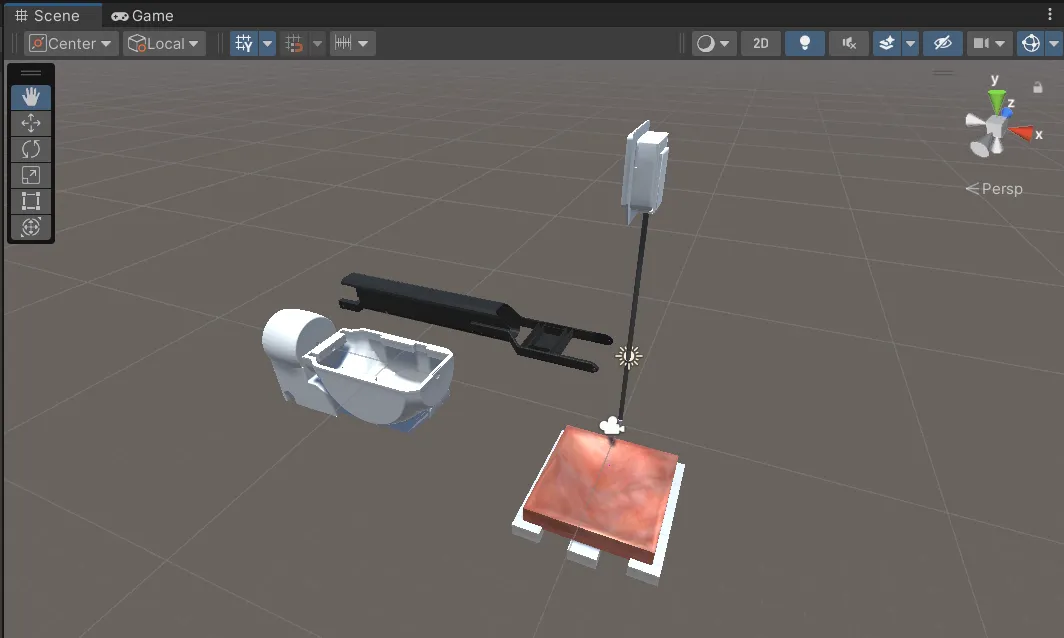
Simulation was valuable here because it made experimentation simpler, faster and less costly. I could reset the scene, repeat the same task and change the software without needing to set up or operate a physical surgical robot for every test. It also provided a safer way to investigate early behaviour and identify problems before introducing the additional constraints of real hardware.
Comparing approaches under the same conditions
One aim of the project was to investigate different ways for the suction tool to move through the workspace. Rather than choosing a trajectory based on intuition alone, I implemented several strategies and compared them in the same simulated environment.
That repeatability is one of simulation’s biggest advantages. Each approach could be tested against the same task, making it easier to see how the choices affected performance and identify a promising direction for further development. The exercise was not just about finding a path that worked in one run; it was about making a fair comparison and gathering evidence to guide the next iteration.
Moving from simulation to the da Vinci Research Kit
Once the system has been developed and tested in simulation, the same approach can be applied to a physical robot, such as a da Vinci machine. This would allow the same task of detecting pooled blood and planning a suction path to be tested in a real environment, helping establish how well the simulated approach transfers to physical hardware. Before this stage, simulation allows the system to be developed and refined, making real-world testing more focused.
The sim-to-real gap
Simulation has important limits. A model can only reproduce the behaviour it has been designed to represent. Real robots may experience friction, vibration, flexible materials, sensor noise, lighting changes, manufacturing tolerances and communication delays that are simplified or absent in the virtual environment.
This difference between simulated performance and physical behaviour is often called the sim-to-real gap. A robot that works well in a virtual environment may perform differently when deployed on hardware, particularly if the simulation has not captured an important factor in the task.
Engineers can reduce this gap by calibrating models against real measurements, testing a range of conditions, adding realistic sensor noise or variation, and comparing simulated predictions with physical results. One technique is domain randomisation, where selected properties such as lighting, object positions or sensor parameters are deliberately varied across simulations so a system is not tuned to one ideal scene.
A common progression is to test algorithms in simulation, introduce controller hardware through hardware-in-the-loop testing where appropriate, then carry out carefully controlled physical experiments. The amount of validation required depends on the application. Systems used around people, particularly medical robots, need much stronger evidence than a hobby robot moving around a desk.
Getting started with simulation
You don’t need to begin with a complex digital twin or a detailed model of every component. Start with a specific engineering question and a simulator that supports the features needed to explore it.
- For general robotics: Gazebo offers tutorials for building a robot, moving it in a world and adding sensors.
- For physically based 3D environments: NVIDIA Isaac Sim provides workflows for robot models, sensors, ROS 2 integration and synthetic data.
- For a task-specific example: Explore the CRESSim surgical suction environment and the ROS 2 autonomy workspace used in this project.
Whichever tool you choose, start small. Build a basic scenario, record a baseline, change one thing at a time and measure the outcome. If the simulated result looks promising, identify the assumptions behind it and plan how to validate them on the physical system.
Conclusion
Simulation is useful because it gives robotics engineers a controlled environment to test ideas, reproduce scenarios and measure performance before committing to physical experiments. It can support everything from low-level motion and sensor testing to perception, planning and full software integration.
The surgical suction project is one example of how those benefits fit together. Simulation made it possible to develop the perception and planning loop, compare movement approaches under the same conditions and identify what would need to be tested on a physical research platform next.
Simulation doesn’t replace real-world testing. Used well, it helps engineers ask better questions, discover problems earlier and make physical validation more focused.